Gud Boi
119d2c0495
Gud Boi
119d2c0495
Prep for the `brokerd` -> (`datad` + `brokerd`) actor split by having each (split-style) backend declare which of its submods host which daemon-kind's eps, exactly per the `piker.data.validate._eps` groupings; `ib` already had `_brokerd_mods`/`_datad_mods` so extend the convention to `kraken`, `binance` and `deribit` (and add `'api'` to ib's datad set since both kinds need the `Client` layer). `__enable_modules__` stays as the (deduped) union so this is a ZERO behavior change; flat backends (`kucoin` etc.) just don't declare the split yet. Also, - add `validate.get_eps()` returning a backend's defined eps per daemon-kind for spawn-time introspection. - import `NoBsWs`/`open_autorecon_ws` from `piker.data._web_bs` directly in `.kraken.broker` (they were only re-exported via `.kraken.feed`) so the trading mod doesn't depend on the feed mod for ws primitives. (this patch was generated in some part by [`claude-code`][claude-code-gh]) [claude-code-gh]: https://github.com/anthropics/claude-code Co-Authored-By: Claude Fable 5 <noreply@anthropic.com> Prompt-IO: ai/prompt-io/claude/20260610T171105Z_bc6e18d7_prompt_io.md |
||
|---|---|---|
| .. | ||
| assets | ||
| README.rst | ||
| __init__.py | ||
| api.py | ||
| feed.py | ||
README.rst
deribit backend ------------------pretty good liquidity crypto derivatives, uses custom json rpc over ws for client methods, then cryptofeed for data streams.
status
- supports option charts
- no order support yet
config
In order to get order mode support your brokers.toml needs to have something like the following:
[deribit]
key_id = 'XXXXXXXX'
key_secret = 'Xx_XxXxXxXxXxXxXxXxXxXxXxXxXxXxXxXxXxXxXxXx'
To obtain an api id and secret you need to create an account, which can be a real market account over at:
- deribit.com (requires KYC for deposit address)
Or a testnet account over at:
- test.deribit.com
For testnet once the account is created here is how you deposit fake crypto to try it out:
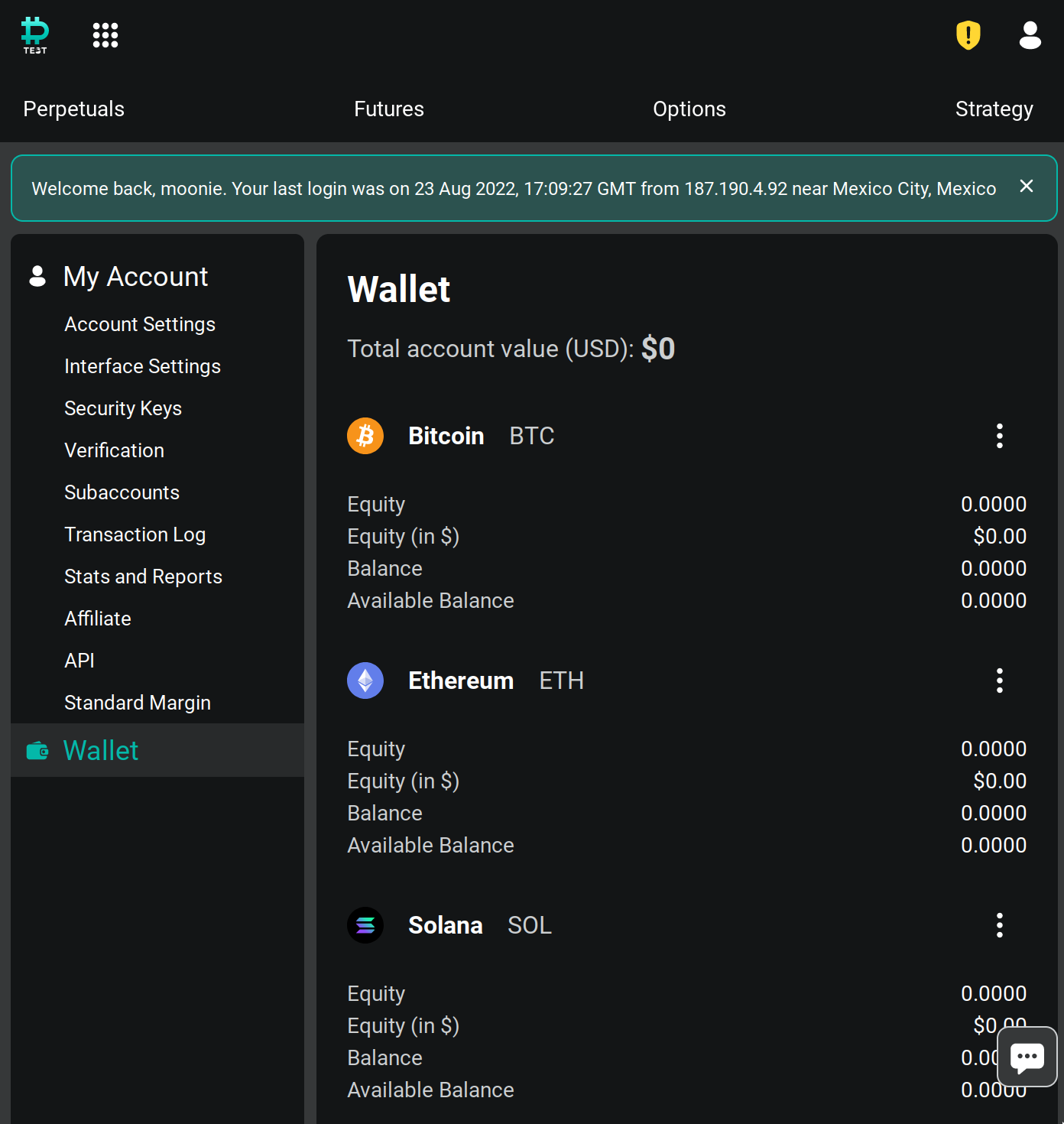
- Go to Wallet:
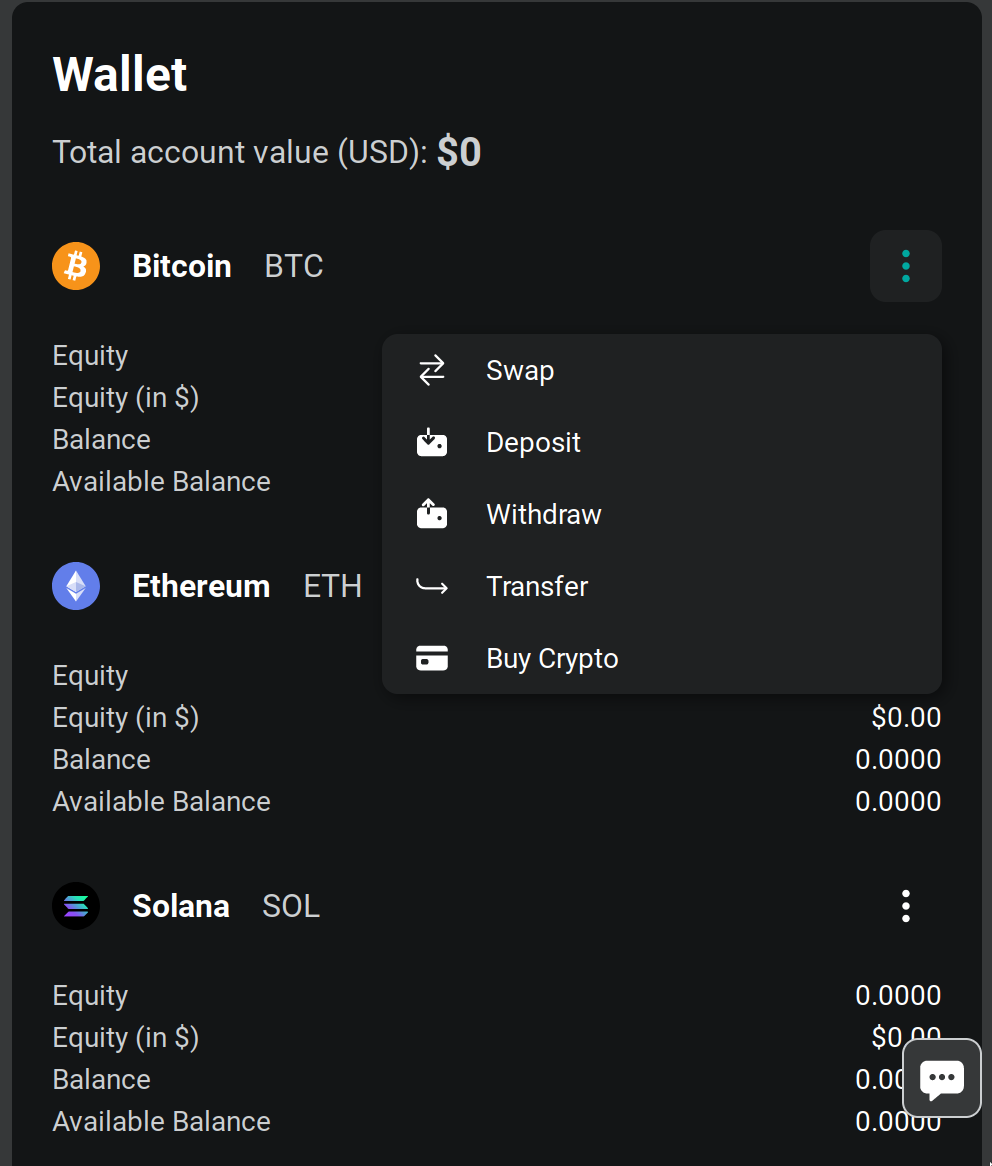
- Then click on the elipsis menu and select deposit
- This will take you to the deposit address page
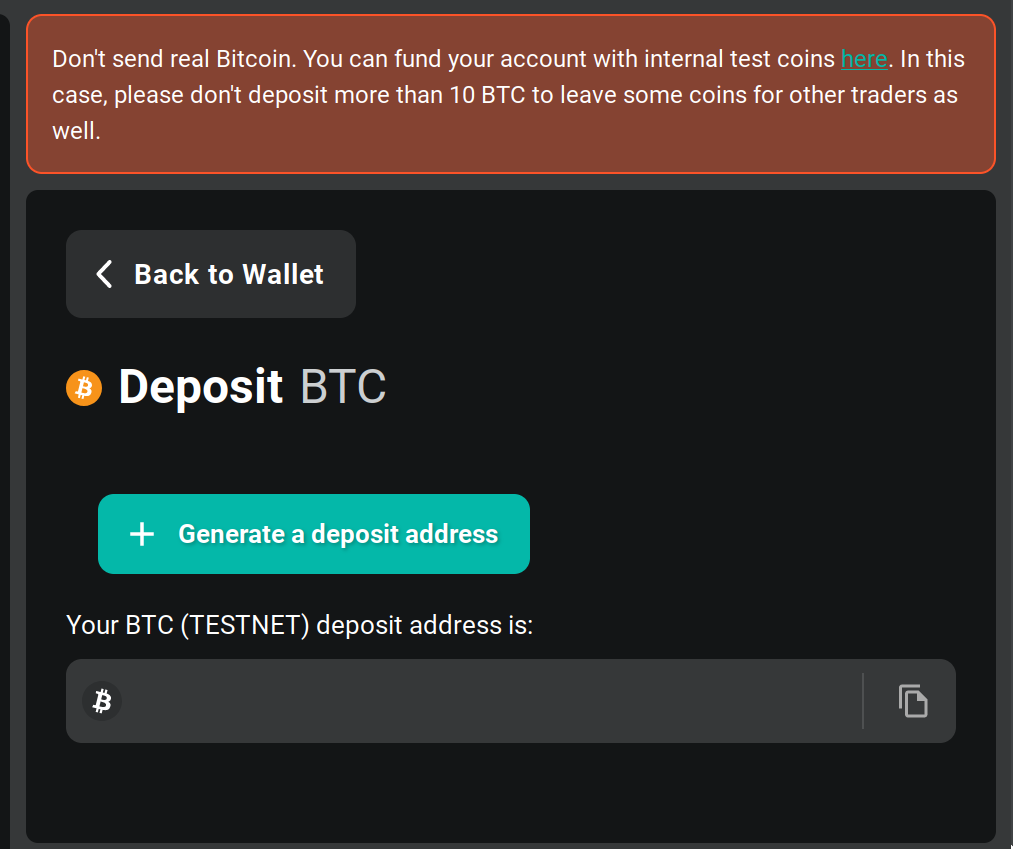
4) After clicking generate you should see the address, copy it and go to the coin faucet and send fake coins to that address.
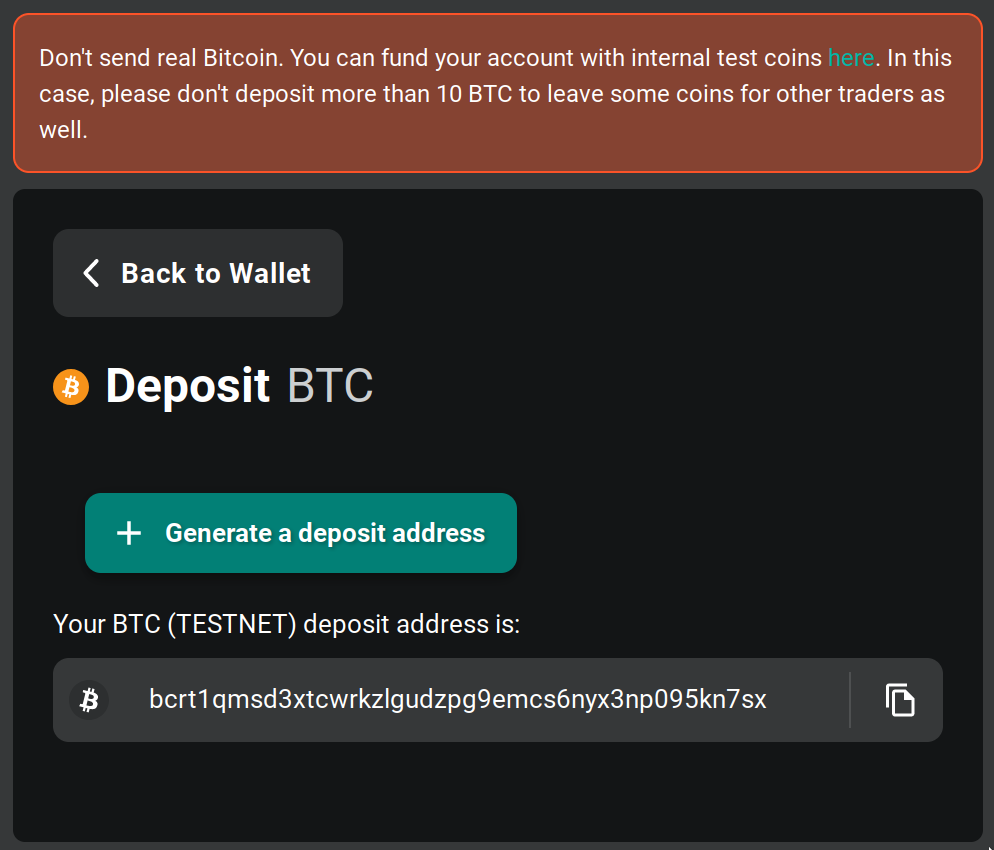
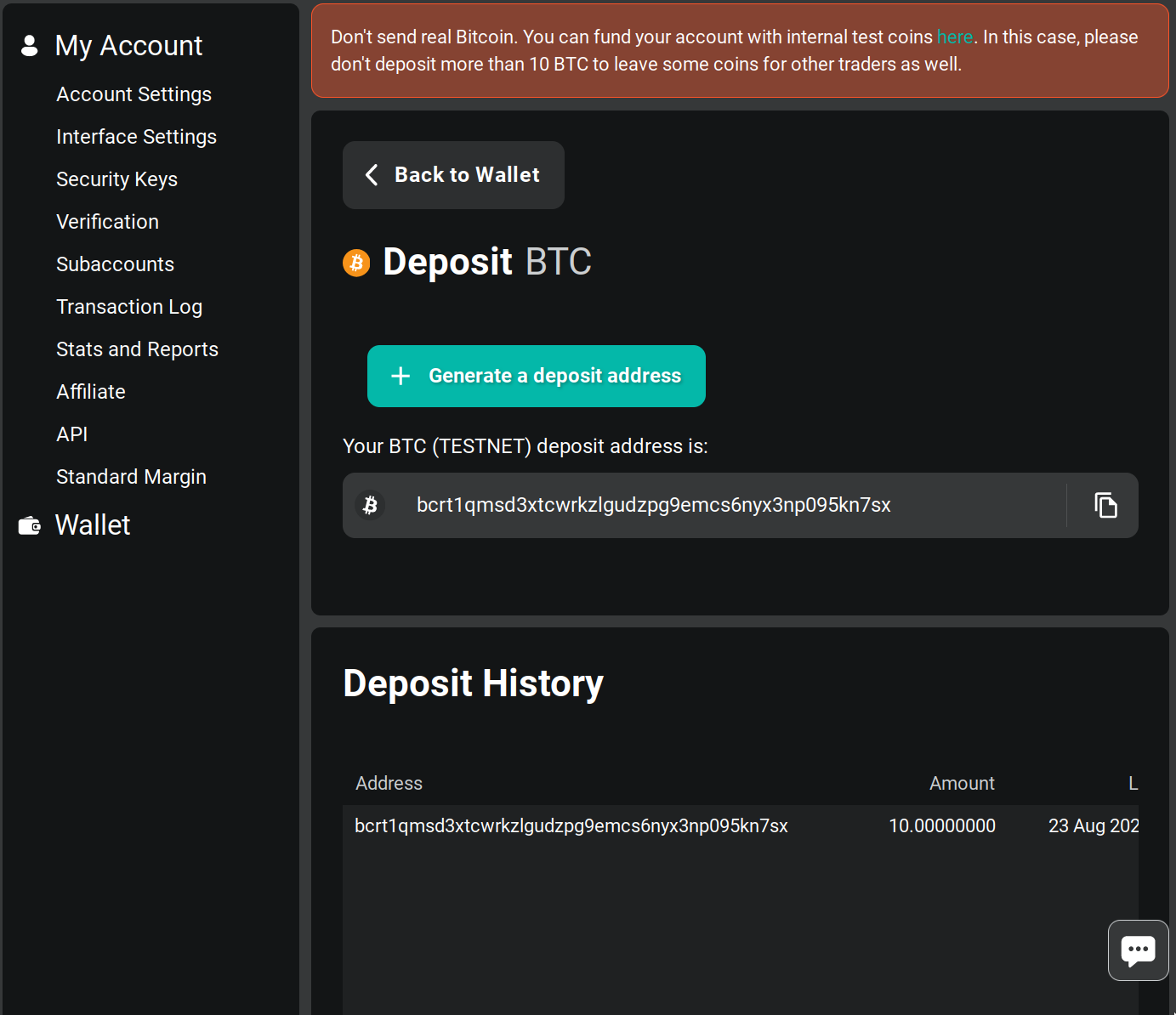
- Back in the deposit address page you should see the deposit in your history